
Focus and time tracker for goals and habits

Track your time. Build better habits.

Time what you do with a tap, set goals that fit your week, and see where your hours really go. On iPhone, Android and Apple Watch.

4.7 on Google Play from 5,000+ reviews 4.8 on the App Store

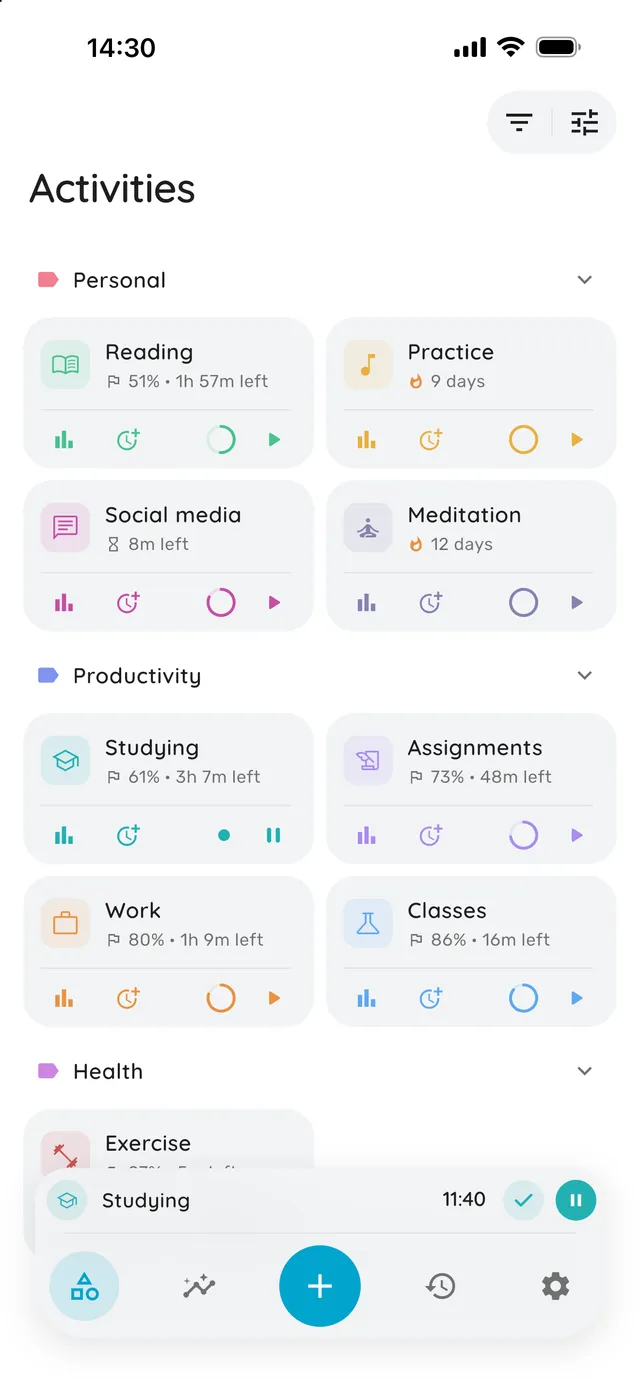
Timelog activities in a grid, grouped into Personal, Productivity and Health, each with its goal progress

Insights

See where your hours go, with clear charts

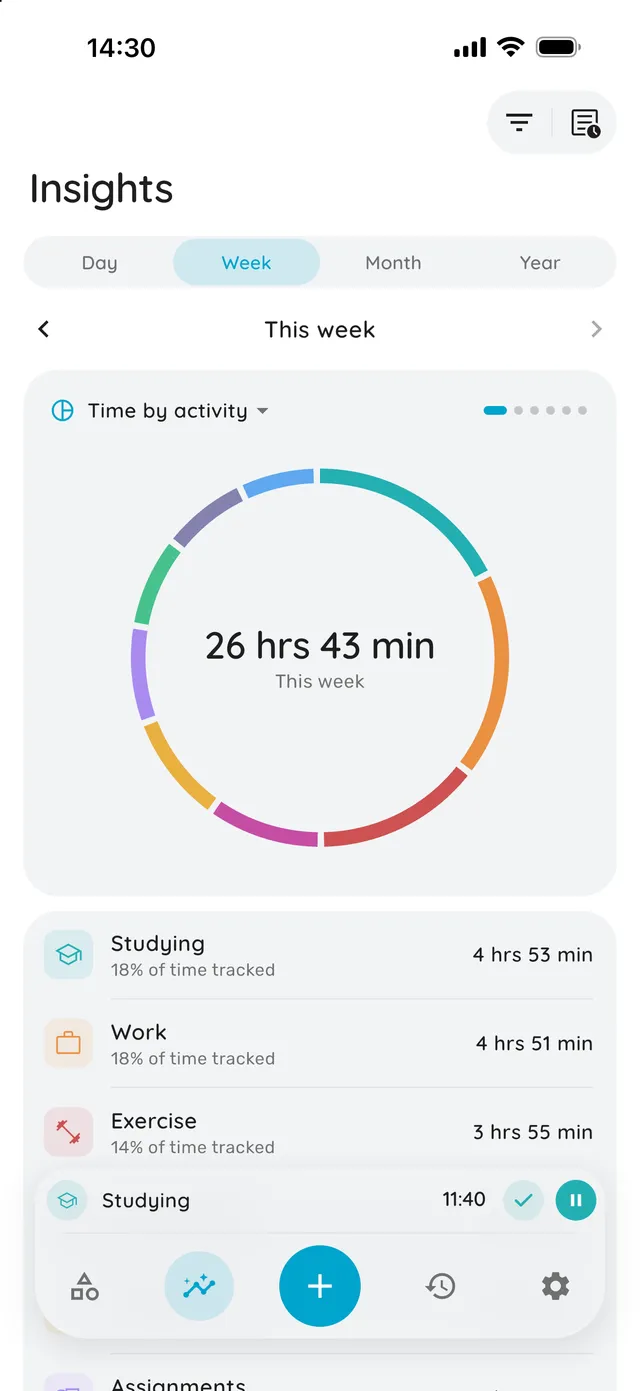
Every minute you track becomes a picture of your week. Switch between day, week, month and year, break your time down by activity with donut, wheel and bar charts, and compare periods to see what changed.

Open a report for any range to see how your time trends from week to week.

Timelog Insights showing a week of tracked time as a donut chart by activity

Widgets

Widgets for timers, goals and charts

Start, pause and save a timer from your home screen, check today's goals and glance at this week's chart without opening the app.

On iPhone a running timer lives on the Lock Screen and in the Dynamic Island. On Android a floating timer stays on top of whatever you're doing.
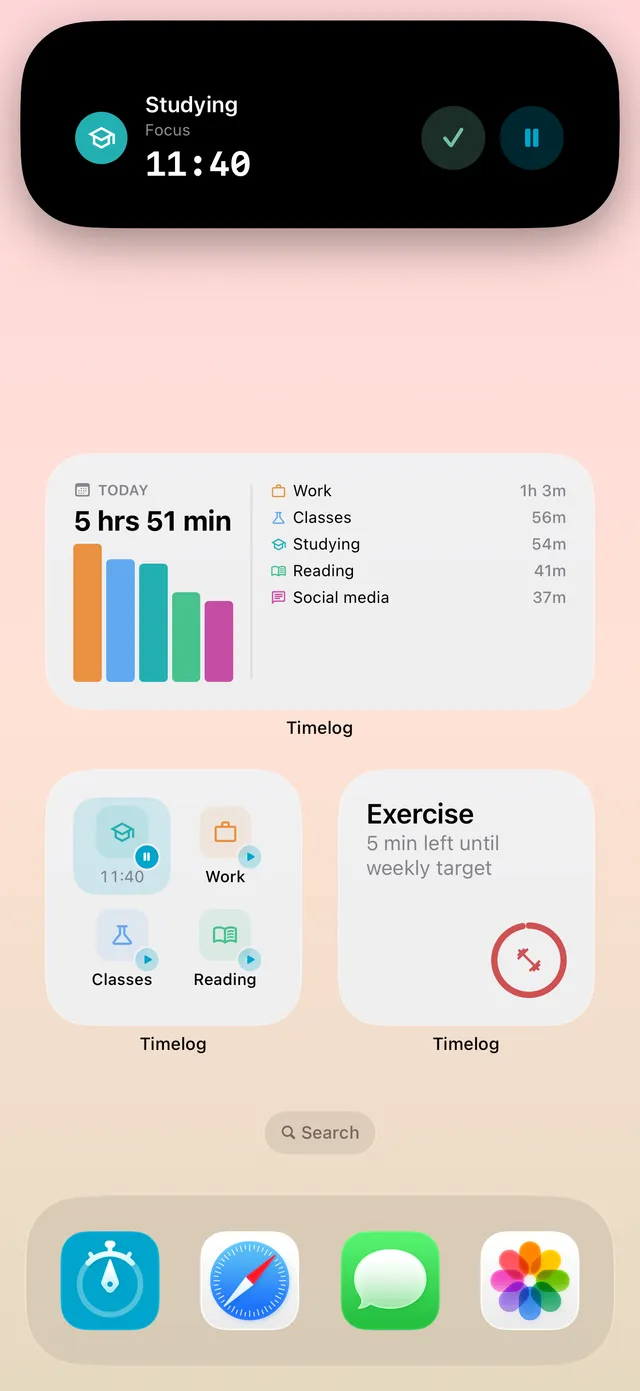
iPhone home screen with Timelog widgets for timers, goals and charts, and a running timer in the Live Activity

Timers

Focus with Pomodoro and countdown timers

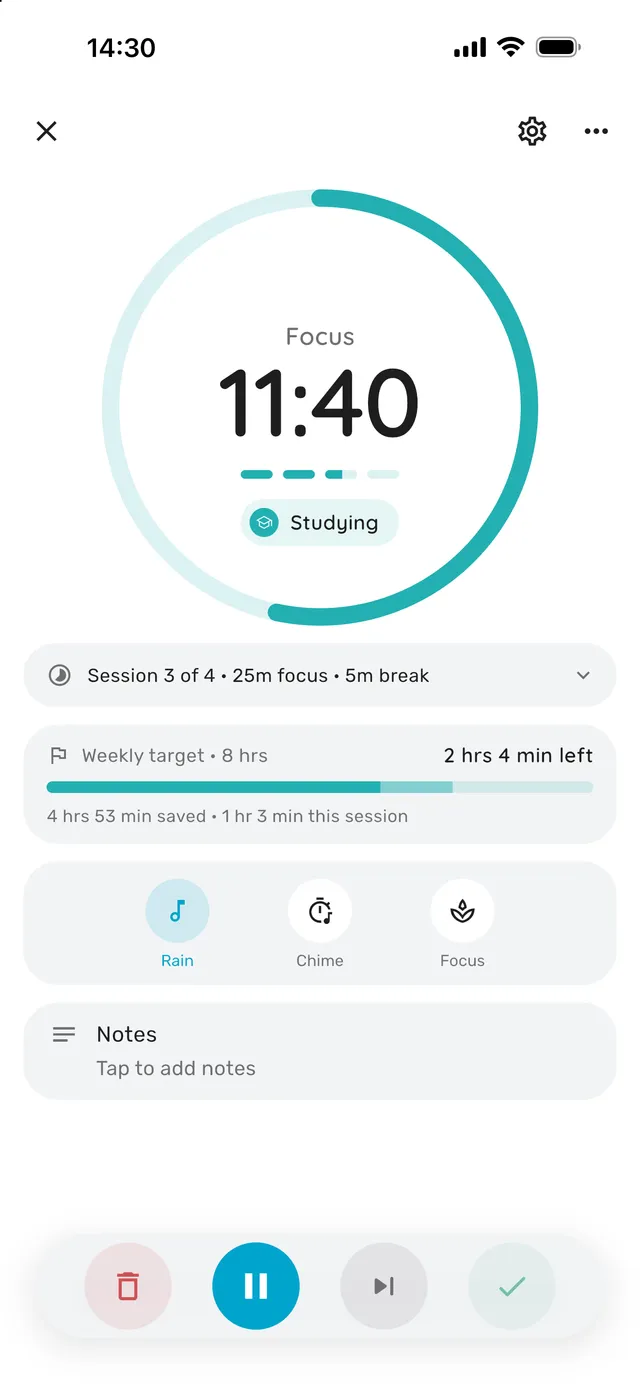
Use a stopwatch, a countdown or Pomodoro sessions with breaks built in. Add rain or a chime, turn on focus mode, and log time by hand when you forgot to start a timer.

A Pomodoro focus session for Studying running in Timelog

Goals and streaks

Daily goals and streaks that keep you going

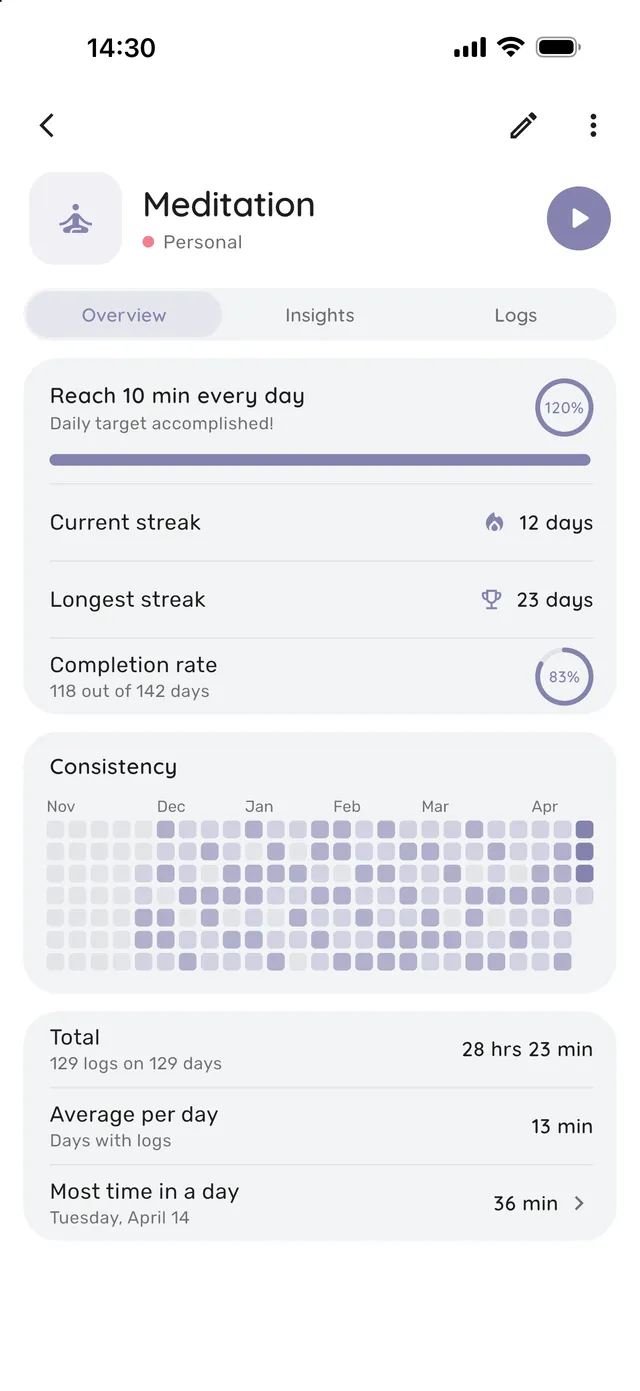
Set daily, weekly or monthly goals, or limits for the things you want to do less of, like social media. Keep your streak alive, chase your longest one, and watch the consistency calendar fill in.

A daily Meditation goal with its current streak and consistency calendar in Timelog

Projection

Know if you're on track before the week ends

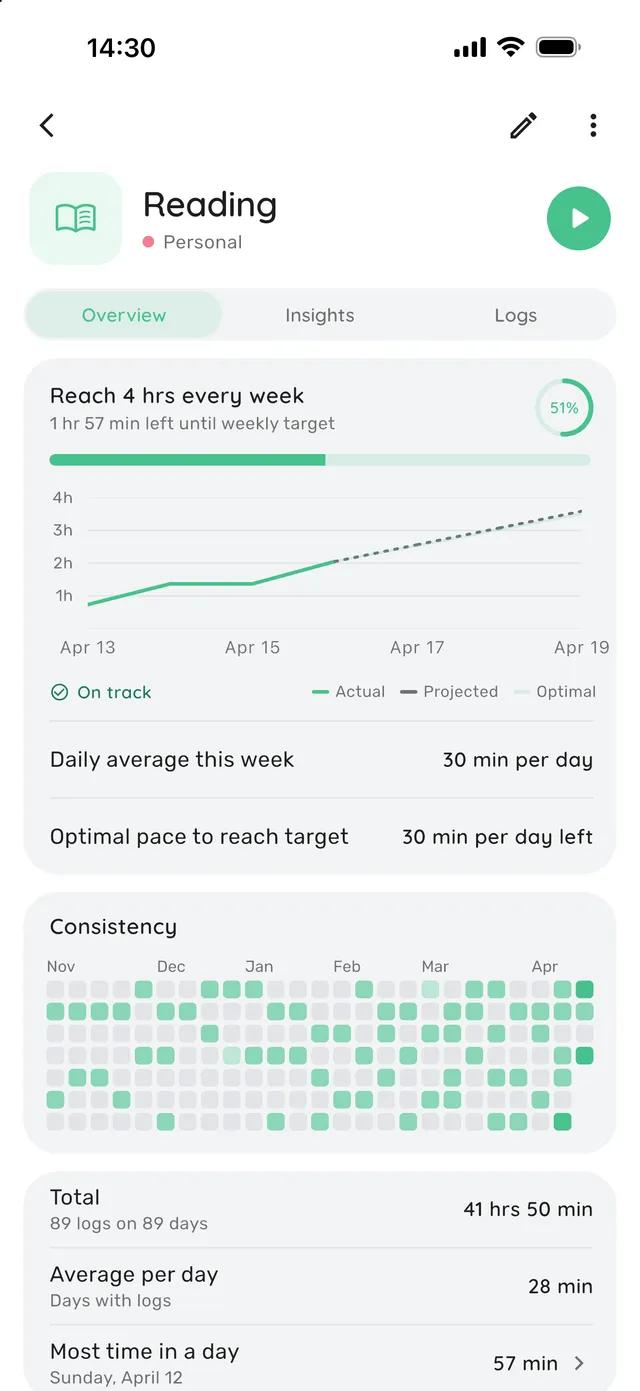
Timelog draws your actual time, where you're projected to finish and the pace you need to reach your goal.

A badge says whether you're on track, sprinting ahead or lagging behind, and Timelog tells you how many minutes a day will get you there.

A weekly Reading goal projection with the pace needed to reach it in Timelog

Tasks and mood

Break activities into tasks and track your mood

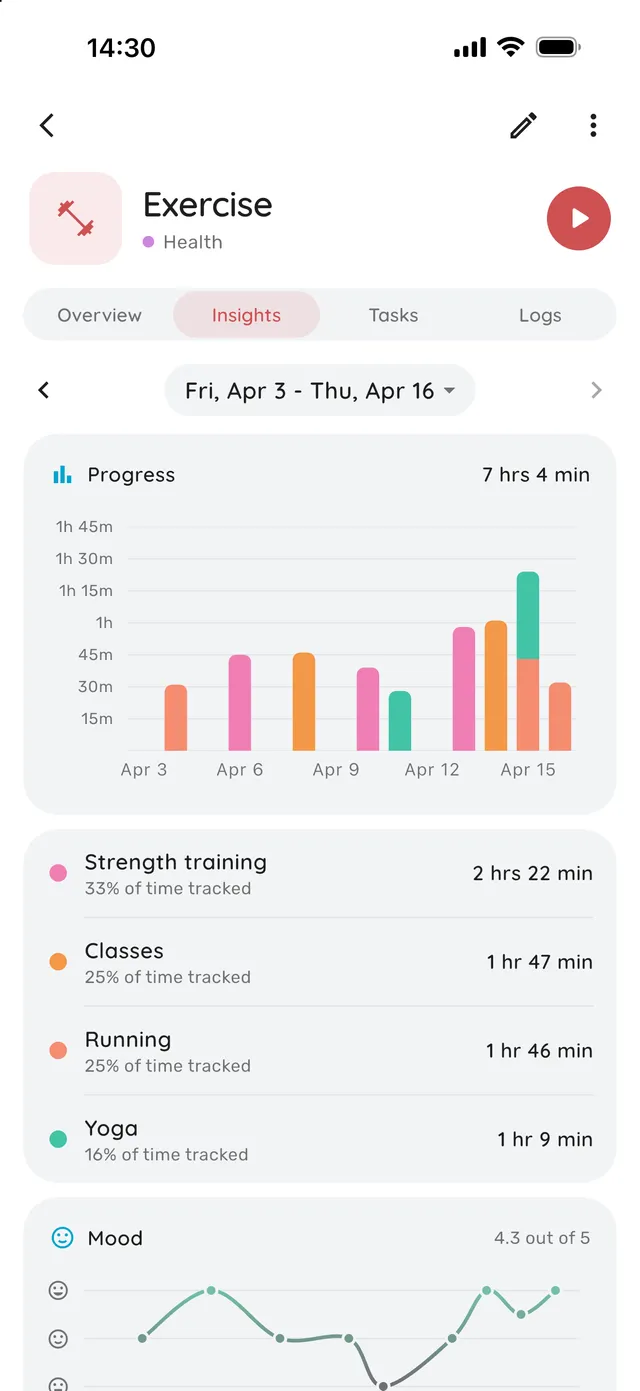
Split an activity into the tasks that make it up, like strength training, running and yoga, and see how your time divides between them. Note how you felt after each session and spot what lifts your mood.

Exercise split into tasks with time per task and mood per session in Timelog

Watch appsNew

Start and stop timers from your watch

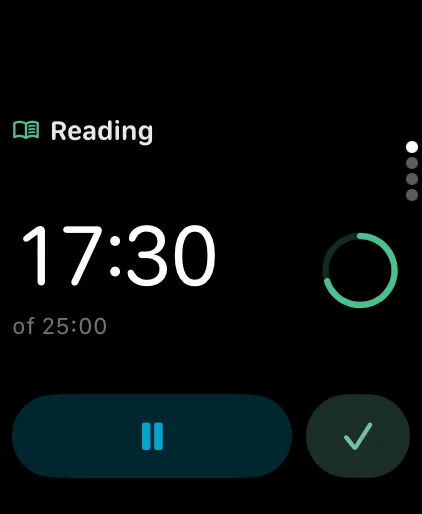
Timelog runs on Apple Watch, and Wear OS is coming soon. Start a timer from your wrist, pause or save it, and check today's time and your goals without reaching for your phone.

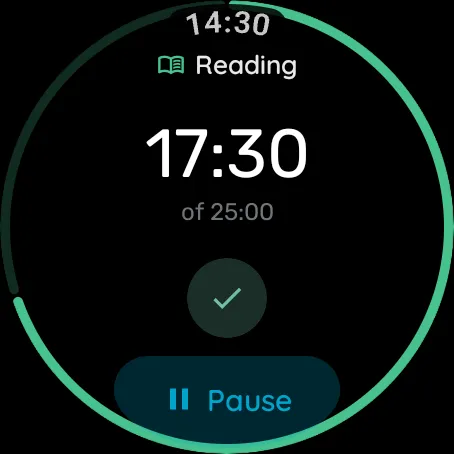
A Reading countdown running in Timelog on Apple Watch
A Reading countdown running in Timelog on a Wear OS watch, coming soon

Journal

Every session in one timeline

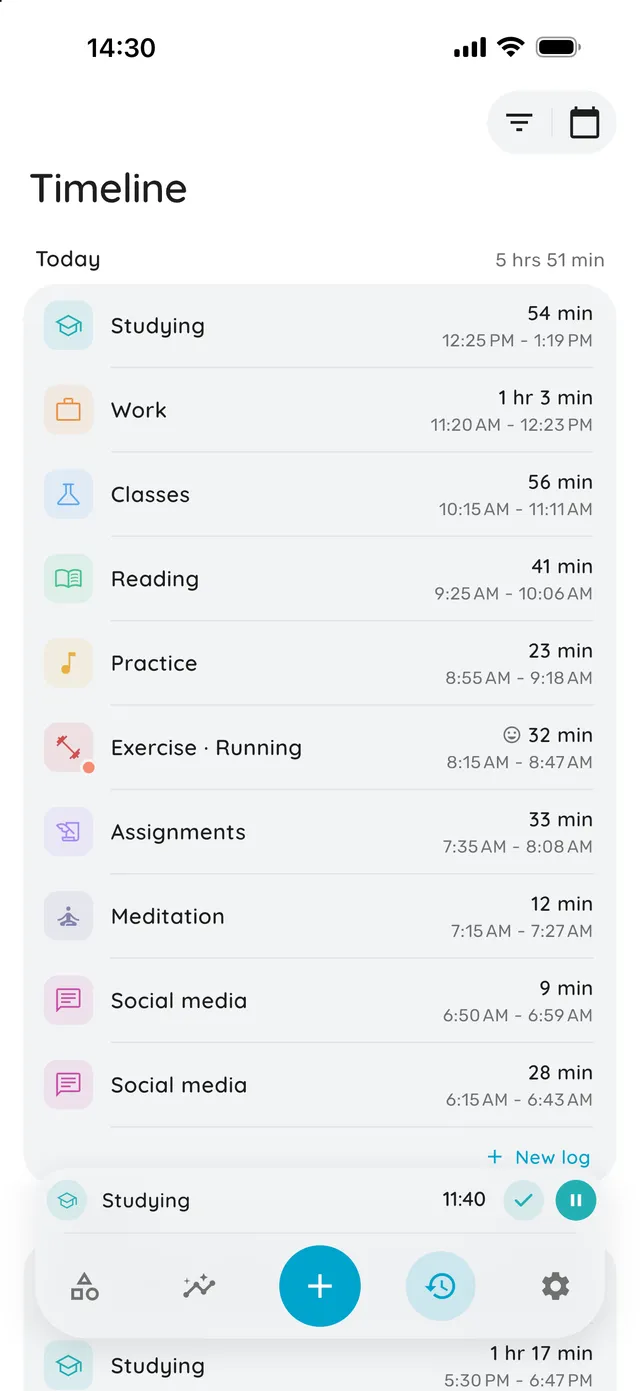
Scroll back through every session, day by day, with its tasks and mood. Fix a time, add a session you missed, or log one by hand.

The Timelog journal: a day-by-day timeline of sessions with their tasks and mood

Why Timelog?

Most habit trackers just count checkmarks. Timelog tracks the time you invest in each habit, so you can see real progress and build routines that last.

You have more time than you think

Tracking your time makes you more mindful about how you spend it. When you see where your hours actually go, you can align them with what matters most to you.

Focus on systems, not just goals

Instead of aiming for a specific outcome like “read one book a week,” build a system: read for five hours a week. When the habit is strong, the results follow.

Timelog lets you set daily, weekly, or monthly time goals so you spend time on things that matter and achieve your long-term goals naturally.

Loved by people who value their time

Rated 4.7 on Google Play by 5,000+ people, and 4.8 on the App Store.

“So flexible and helpful! This app has genuinely changed my life for the better and helped me become more organized and productive. Thank you!”
“I WANT TO HUG WHOEVER DESIGNED THIS APP!! As someone who struggles with being both a procrastinator yet overachiever, I FINALLY have a way to be myself in an organised and custom manner. I've designed my own guitar practice schedule, met my weekly goals, and curbed phone addiction by two hours over two weeks.”
“This is hands down the best time logging app I have ever used. There's no other app like this out there which is geared for personal use. Also bought the premium version — a one-time purchase. It has the best insights to look at time usage. I'll be sure to share it with people I know!”
“I've been using the app for about a week and it's simple with no frills. It has helped me stay on top of the habits I want to form and gives me useful progress data. My favourite features: swipe to start activity time tracking, and neat data visualisations to show activity trends over time.”
“Truly excellent way to see where your time is going. I'm trying to get more time in my day for important things — this app shows me where my time stealers are. It was very revealing from the first day! I looked at a number of apps but this one has the best options for the kind of time logging I need.”
“Hands down the best time logger I've ever used! I use it daily to track my school work & hobbies. I bought the pro version because I'm using it heavily every day, but the free version is so packed with features you won't feel like you need to upgrade.”

Frequently asked questions

Is Timelog free?
Yes. Timelog is free to download and the core features are free to use. Timelog Plus, as a subscription or a one-time lifetime purchase, adds unlimited activities, categories and tasks, reports and filters, multiple reminders, and every color and icon.
Which devices does Timelog work on?
iPhone, iPad and Apple Watch, and Android phones and tablets. A Wear OS app is coming soon. Download it from the App Store or Google Play.
How does time tracking work?
Start a stopwatch, a countdown or a Pomodoro timer from the app, a widget or your watch, or log time by hand. Every session is saved to its activity, and you can group activities into categories and split them into tasks.
Can I use Timelog for study or work?
Yes. Plenty of people track study sessions and focused work alongside their habits. Timelog is built for your own time rather than client billing, so there are no rates or invoices.
Is my data private?
Your entries are stored on your device. If you choose, you can back them up to your own iCloud or Google Drive. Timelog does not collect personal data that directly identifies you.

Make every minute count

Download Timelog for free and start building the habits that matter to you.